Volto GDPR Privacy addon to manage user cookie consent.
It requires collective.volto.gdprcookie.
Display a site banner if cookie configuration has changed or if 180 days have passed since last choice. Cookies and banner configuration is available from Volto's control panel.
It also inserts in page a button to enable user to re-open the banner to change his preferences. You can hide this button from control panel.
To be used with mrs-developer, see Volto docs for further usage information. Otherwise, install it with:
yarn add volto-gdpr-privacy -WGDPR Cookie Banner
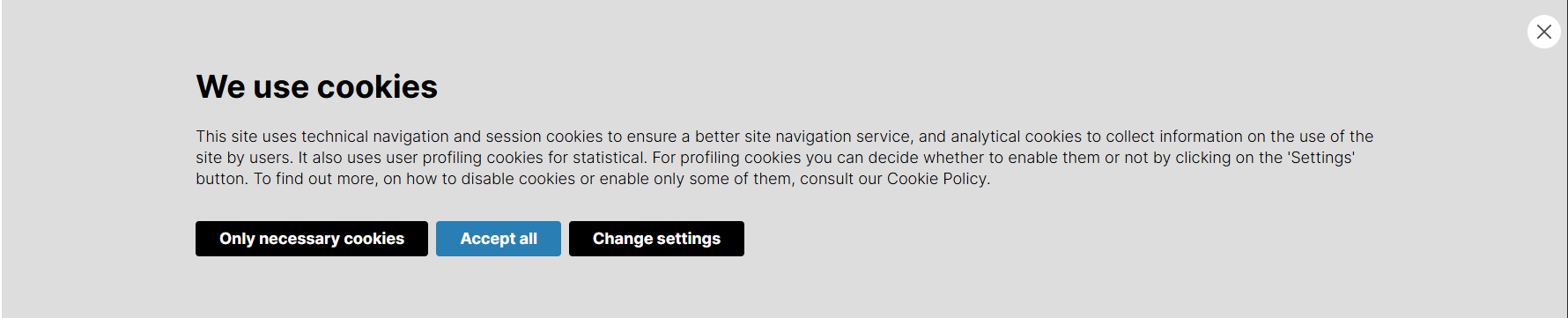
Change settings for GDPR Cookie Banner
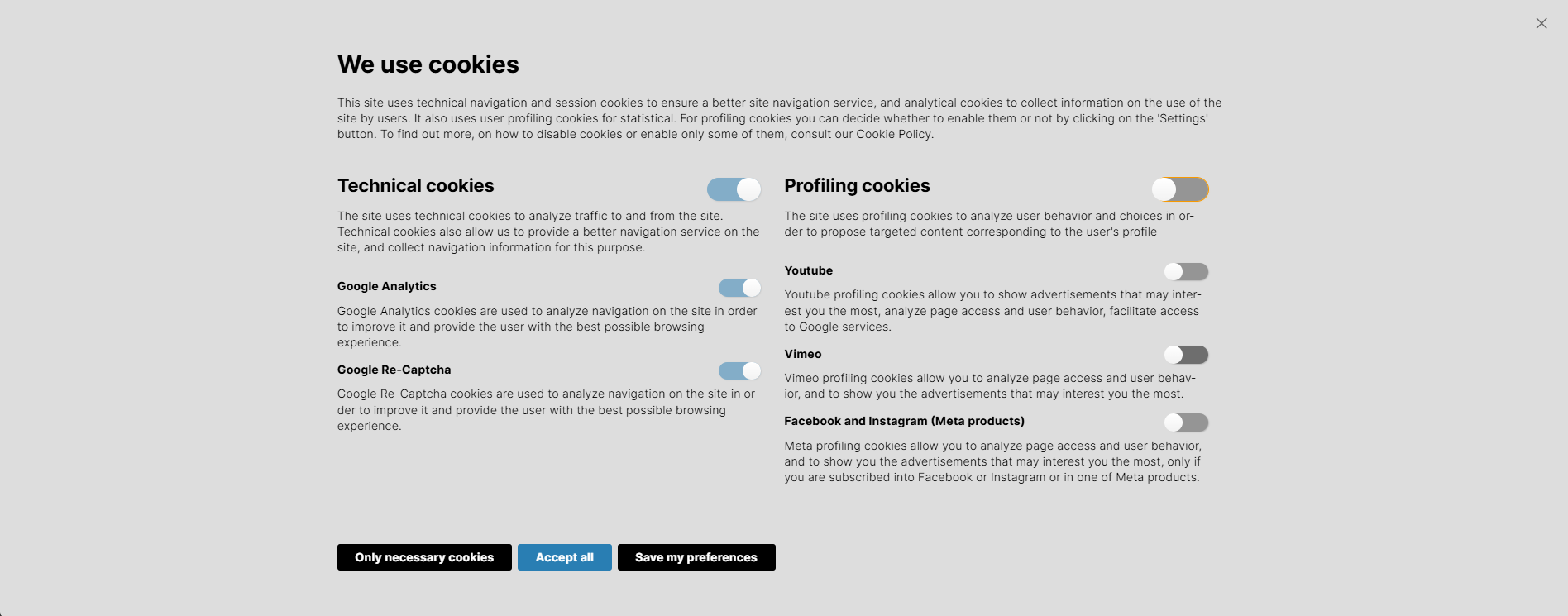
The access for GDPR Cookie Settings
Technical cookies for GDPR Cookie Settings

Profiling cookies for GDPR Cookie Settings
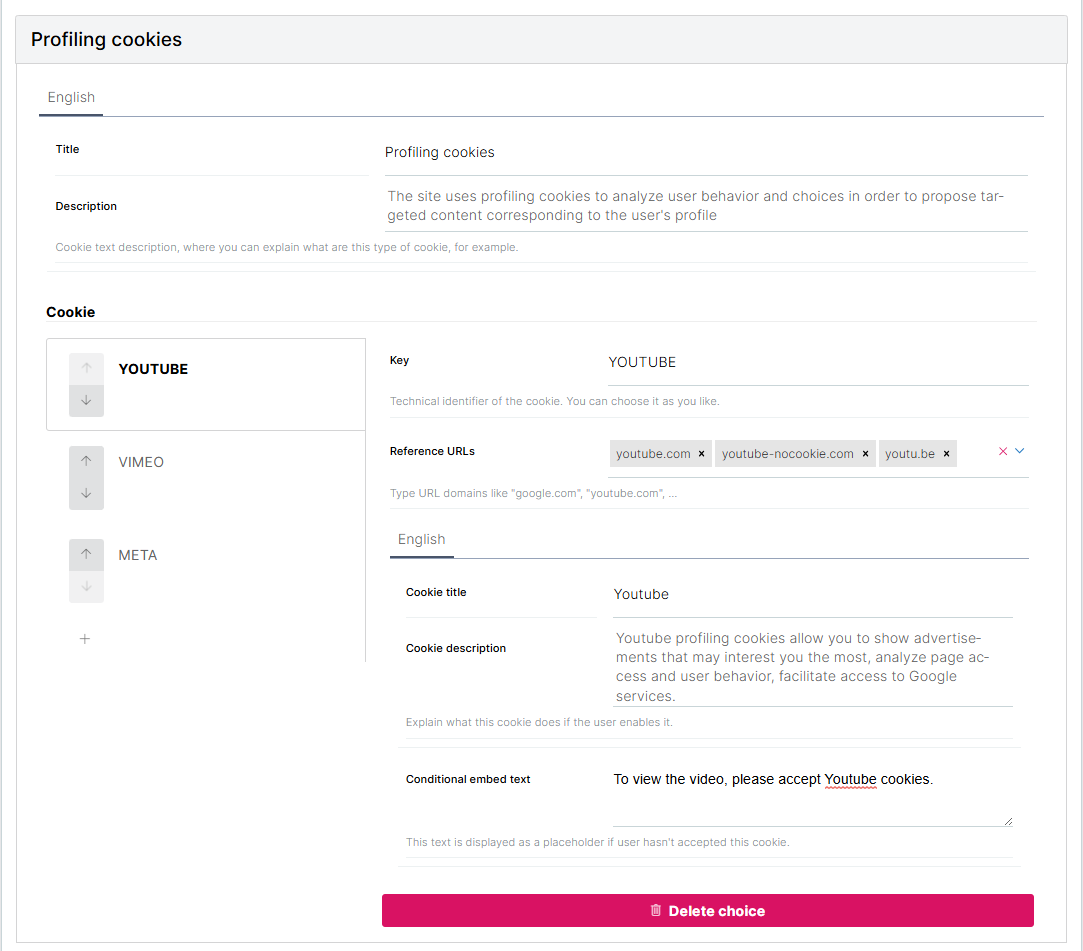
Wherever you want to add the component, import and use it like this:
import { GdprPrivacyManager } from '@collective/volto-gdpr-privacy';

const YourAppComponent = () => <GdprPrivacyManager />;
A suggested way is to use appExtras from settings object:
export const settings = {
  ...defaultSettings,
  appExtras: [
    ...defaultSettings.appExtras,
    {
      match: '',
      component: GdprPrivacyManager,
    },
  ],
};You can configure it from GDPR cookie control panel.
It's possible to define a cookie expire time. By default it's 6 month, but you could change your expiration days in the control panel.
Added a new configurable parameter called focusTrapEnabled, which defaults to true. This enables a focus trap provided by react-focus-lock on cookie banner: user cannot tab their way out and has to perform an action via banner buttons to be able to navigate the site using keyboard.
Control panel configuration can be used to toggle this feature on or off.
Before v2.2.0, the configuration could only be hardcoded in your project or theme config. See the example here. If this configuration is set, it will still be used instead of the one from the control panel. In order to use the control panel configuration, you need to remove the hardcoded configuration from your project by setting config.settings['volto-gdpr-privacy'].defaultPanelConfig = null; in your project or theme config.
If you want to change or adapt styles, you should start adapting cookie-banner.css.
This product has been translated into:
- Italian
- English
- French
- Spanish
- German
Please, contribute to this project adding translations for your language.
If you want to use it with a version of Volto < 16, use volto-gdpr-privacy 1.3.11 version.
If you want to use it with a version of Volto < 15.7.0, use volto-gdpr-privacy 1.3.3 version.
If you want to use it with a version of Volto <= 15.0.0-alpha.3, use volto-gdpr-privacy 1.3.0 version.